
For leadership
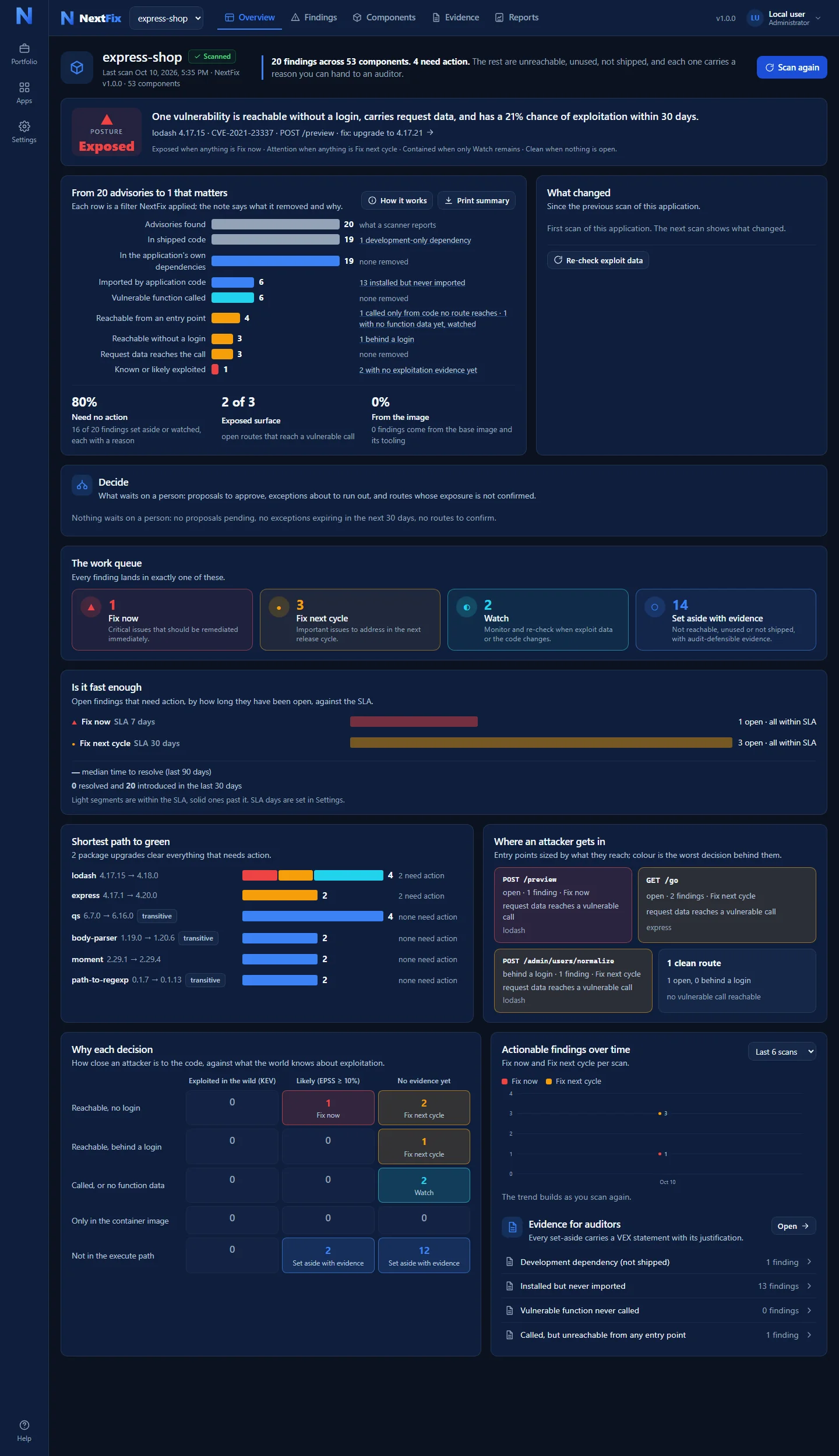
The NextFix™ Overview is one page that answers four questions: are we OK, what changed, what is being done, and what do I have to decide. Each panel answers one of them, and a print button turns the page into a one-sheet you can take into a meeting.
The Overview
Panel by panel
- Posture. One word for the whole application: Exposed, Attention, Contained or Clean, with the sentence that explains it and the rule it came from.
- Evidence funnel. From every warning the scanner found down to the ones reachable without a login, with request data and exploitation evidence. Each row says what it removed and why.
- What changed. Since the previous scan: new findings, resolved findings, and any that moved up or down, each one named.
- Decide. What waits on a person: exceptions proposed by an analyst and waiting for approval, exceptions about to expire, and routes whose exposure needs confirming.
- The work queue. The four decisions, with the count in each.
- Is it fast enough. Open findings that need action, by how long they have been open, against the deadline you set (seven days for fix now and thirty for fix next cycle, both editable), with the median time to resolve.
- Shortest path to green. Package upgrades ranked by how many findings each one closes, with the sentence “N upgrades clear everything that needs action”.
- Where an attacker gets in. The web addresses the application answers to, sized by what they reach and coloured by the worst decision behind them.
- Why each decision. A grid of how close an attacker is to the code against what the world knows about exploitation, with every finding placed in one cell.
- Trend and evidence. Findings that need action across scans, and the list of everything set aside with its justification.
Several applications
The portfolio
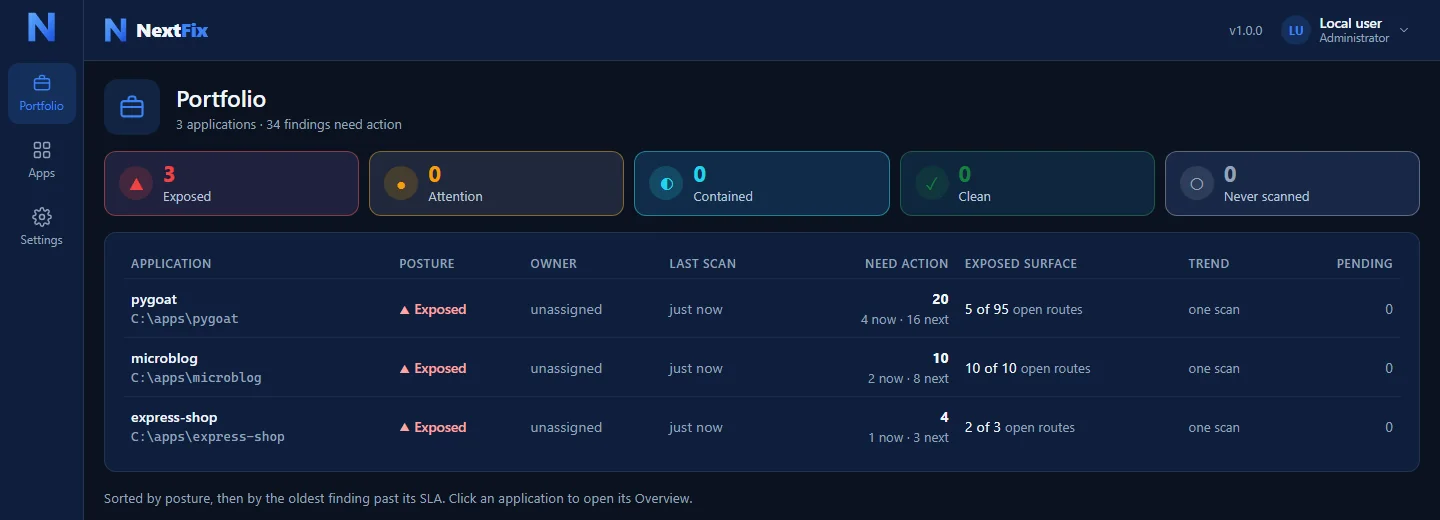
With more than one application, NextFix opens on a portfolio: one row per application with its posture, its owner, when it was last scanned, how many findings need action, how much of its surface is exposed, a trend, and how many decisions are waiting on a person. It sorts by posture, then by the oldest finding past its deadline, so the row at the top is the one to ask about first.
Keeping it current
Scans on a schedule, and a weekly digest
Each application can be scanned on a schedule, and every night NextFix re-checks every open finding against the day's exploit data, so a vulnerability that starts being attacked moves up without anyone running anything. A weekly digest by e-mail, Slack or Teams carries the portfolio verdict and what changed.
When a finding is left open on purpose, an analyst proposes an exception (accept the risk, mark a false positive, or record a mitigation) with a reason and an expiry, and an administrator approves it. The approval, the name and the date go into the evidence and the OpenVEX export, so the answer to “who decided that, and why” is always written down.